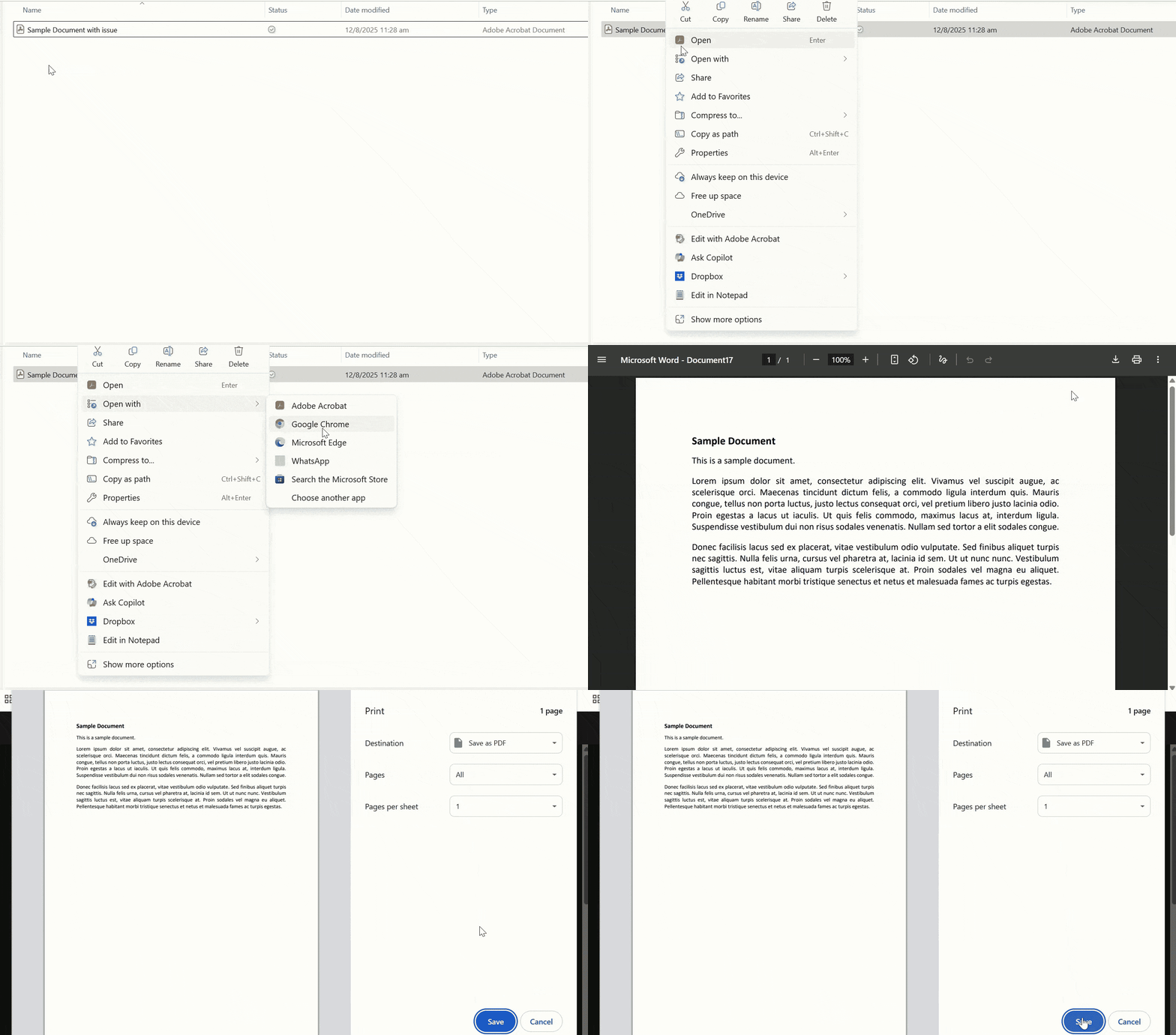
Points to note when uploading supporting documents / exhibits
- Avoid password protection: PDF files must not be password protected.
- No embedded attachments: Do not embed attachments (eg image, video) in the PDFs.
- Ensure A4 paper size: All PDFs must be in A4 size.
- Upload document one at a time: Ensure the previous document has completed the upload before continuing on to the next.
How do I know if the file upload is successful?
Successfully uploaded files will display a page number under “Count of pages” column.
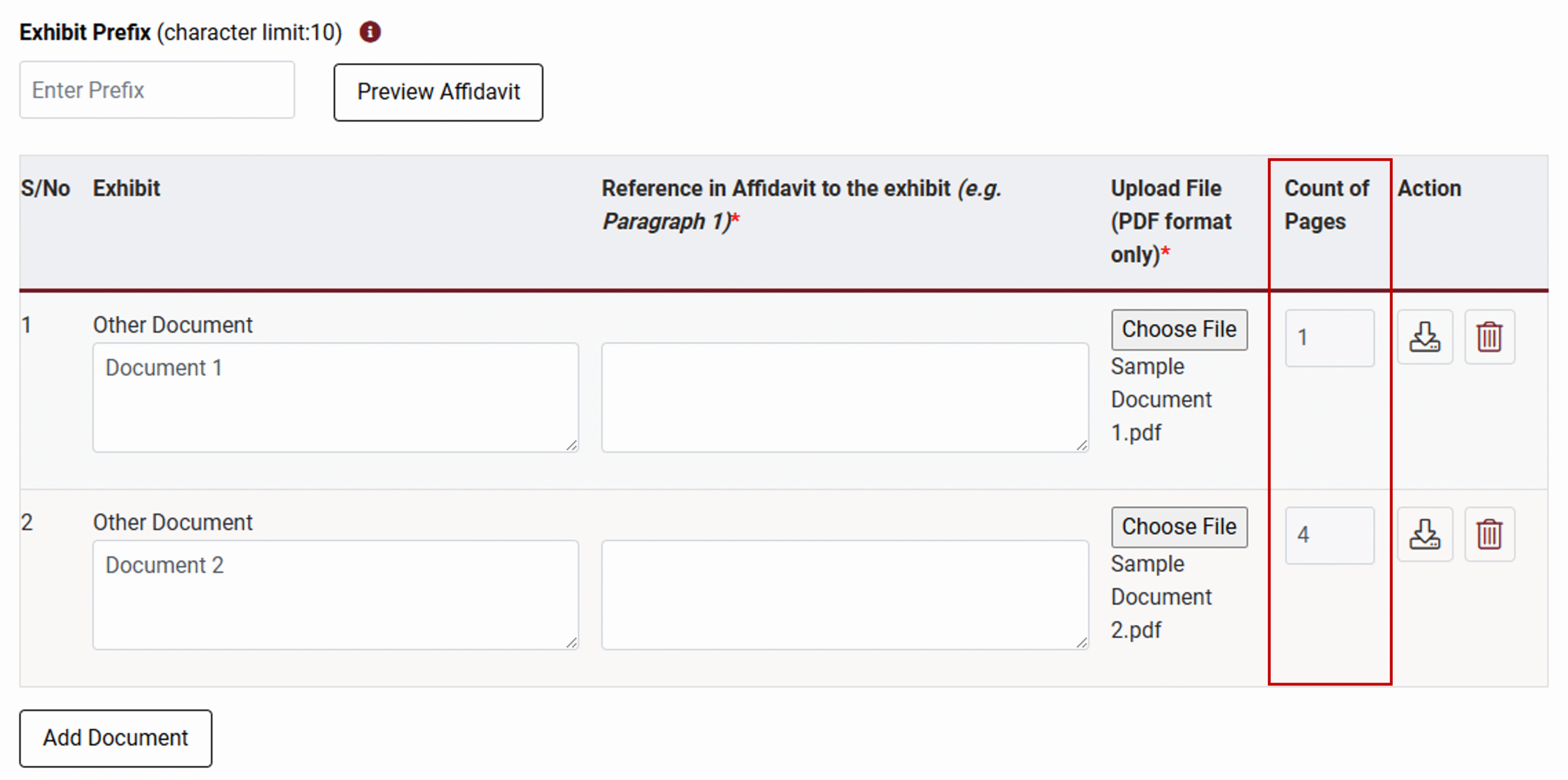
How do I know if the file upload is unsuccessful?
- The page count does not appear under the “Count of pages”.
- You encountered an error when clicking “Print” for the generated document. This typically indicates a problem with annexing your PDF due to some errors in the document.
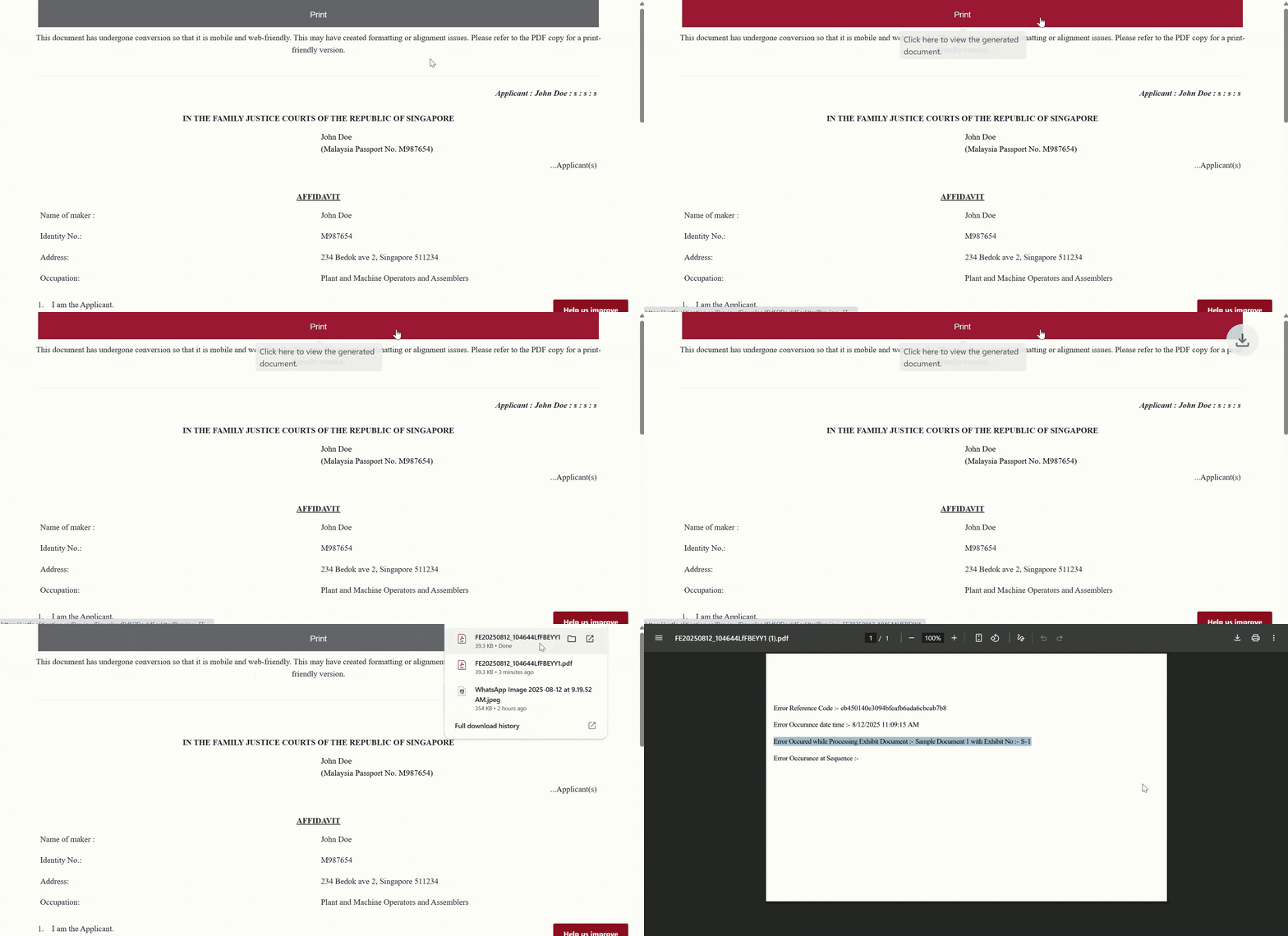
How do I resolve the issues?
You will need to “re-print” the PDF via a browser.