
Notifications from eLitigation
You may not be receiving notifications via email or SMS due to one of the following reasons:
- your email address or handphone number is not updated in the system or
- your notification settings are not correctly configured.
Updating your email address / handphone number
Contact your law firm’s administrator for assistance with the updating of any of these details.
- Law firm administrators may refer to “Update user details” post for more details
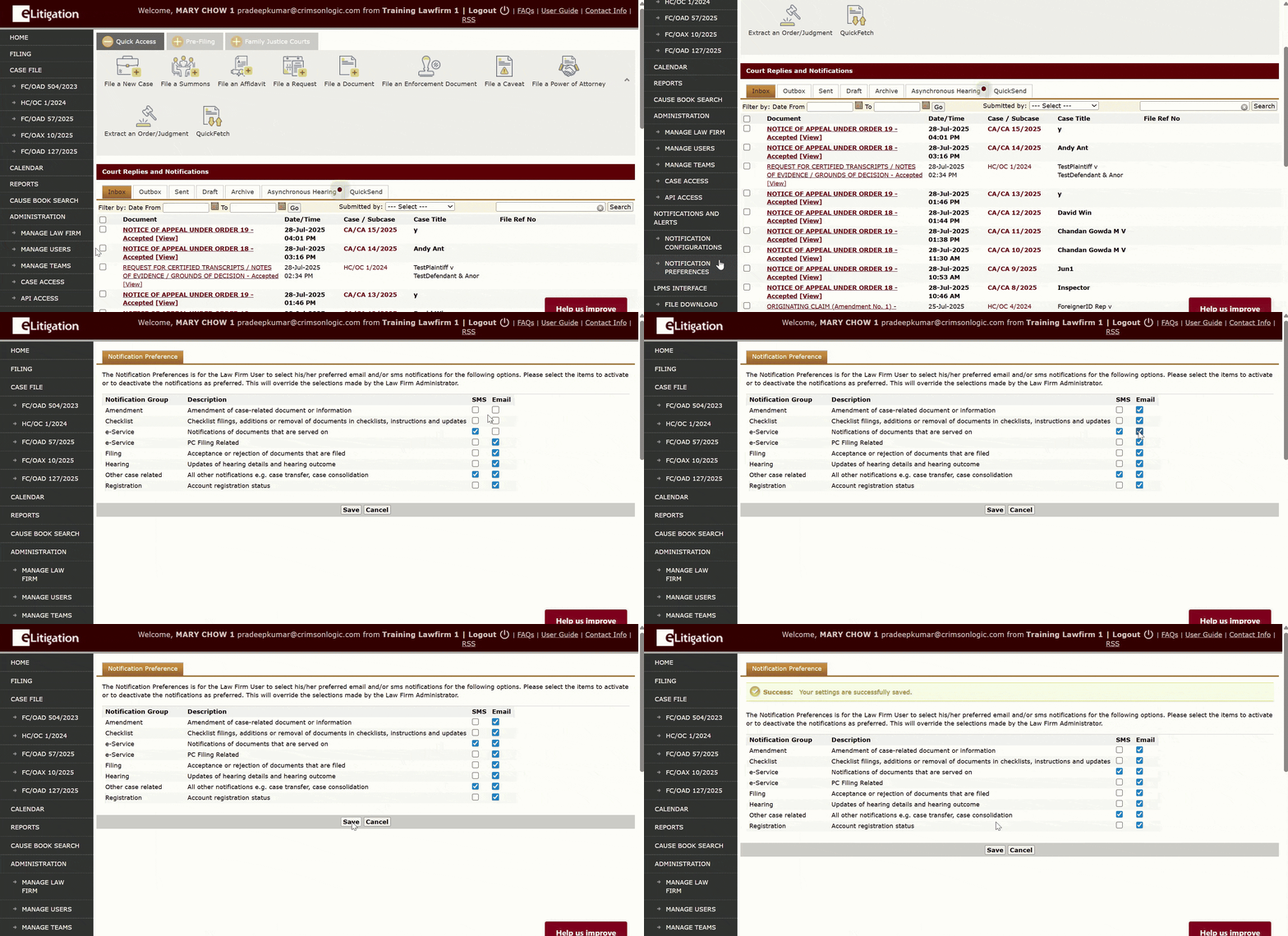
Notification Preferences
Ensure that your notifications are configured to receive the various types of alerts.
Other Court Correspondence / Notifications
If you are not receiving court correspondences / notifications, do check that the email address in the case file is correct. If the email address is inaccurate or outdated, you will need to file a Notice of Change of Particulars (“NOC”). After the NOC is approved, the updated email address will be reflected in the case file.