
Preparation Checklist for Signers
- Singpass app – You will be digitally signing a document using your Singpass app. Before signing, please ensure that you have downloaded the Singpass mobile app and have successfully logged into the app.
- Activation of signing certificate (one time setup)
- Image of stamp or signature (optional)
- Essential information to sign the document
- Individual “Access Code” and “Access Reference“
- Web link to access the document that needs to be signed, starting with https://services.judiciary.gov.sg/sign
- Deadline for signing
Signing Documents
- Retrieve the document by clicking on the web link provided to you by the professional who is requesting your signature. You will be brought to the “Document Signing Service (“DSS”) platform
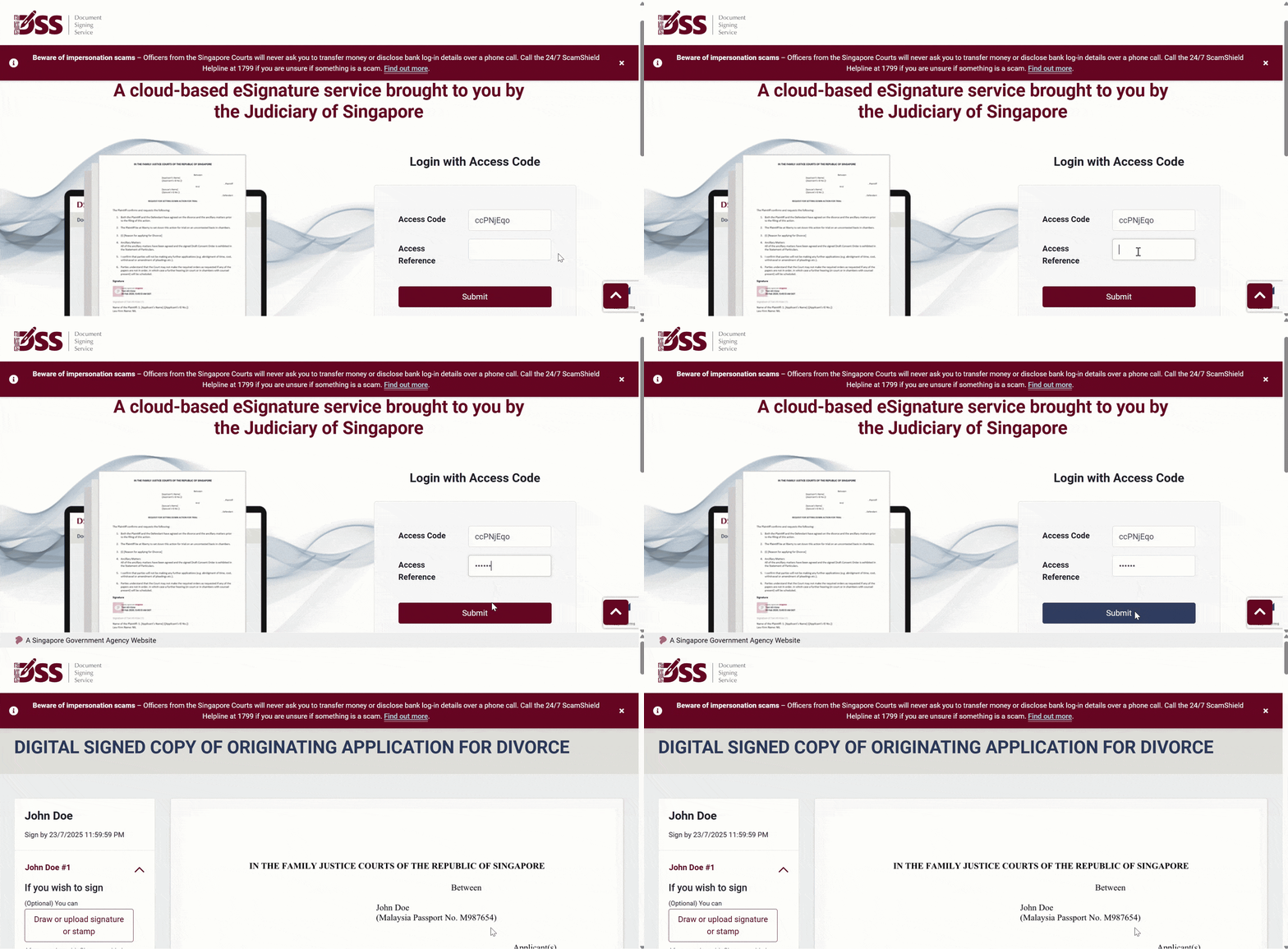
If you wish to sign,
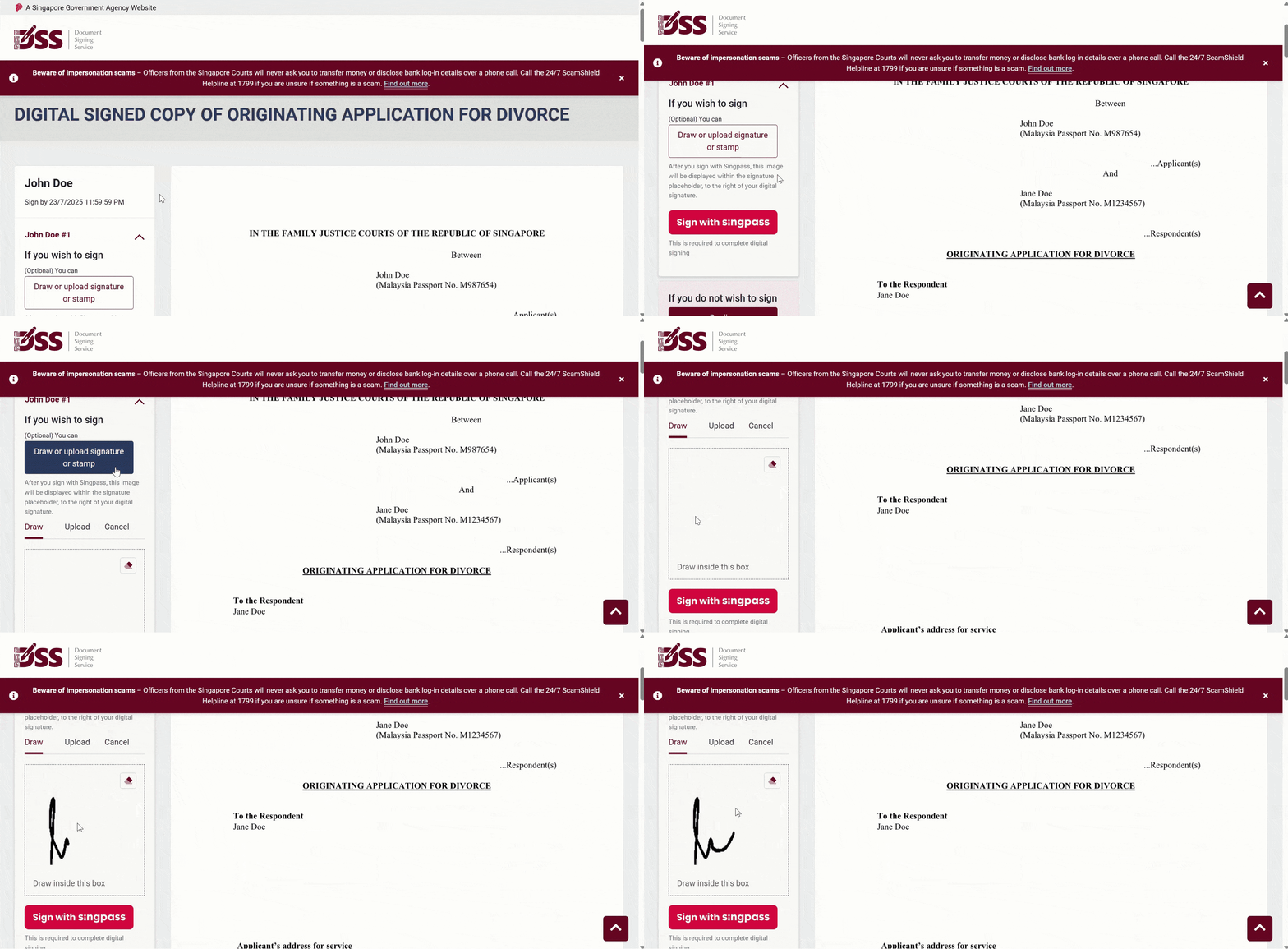
- Draw your signature (optional)
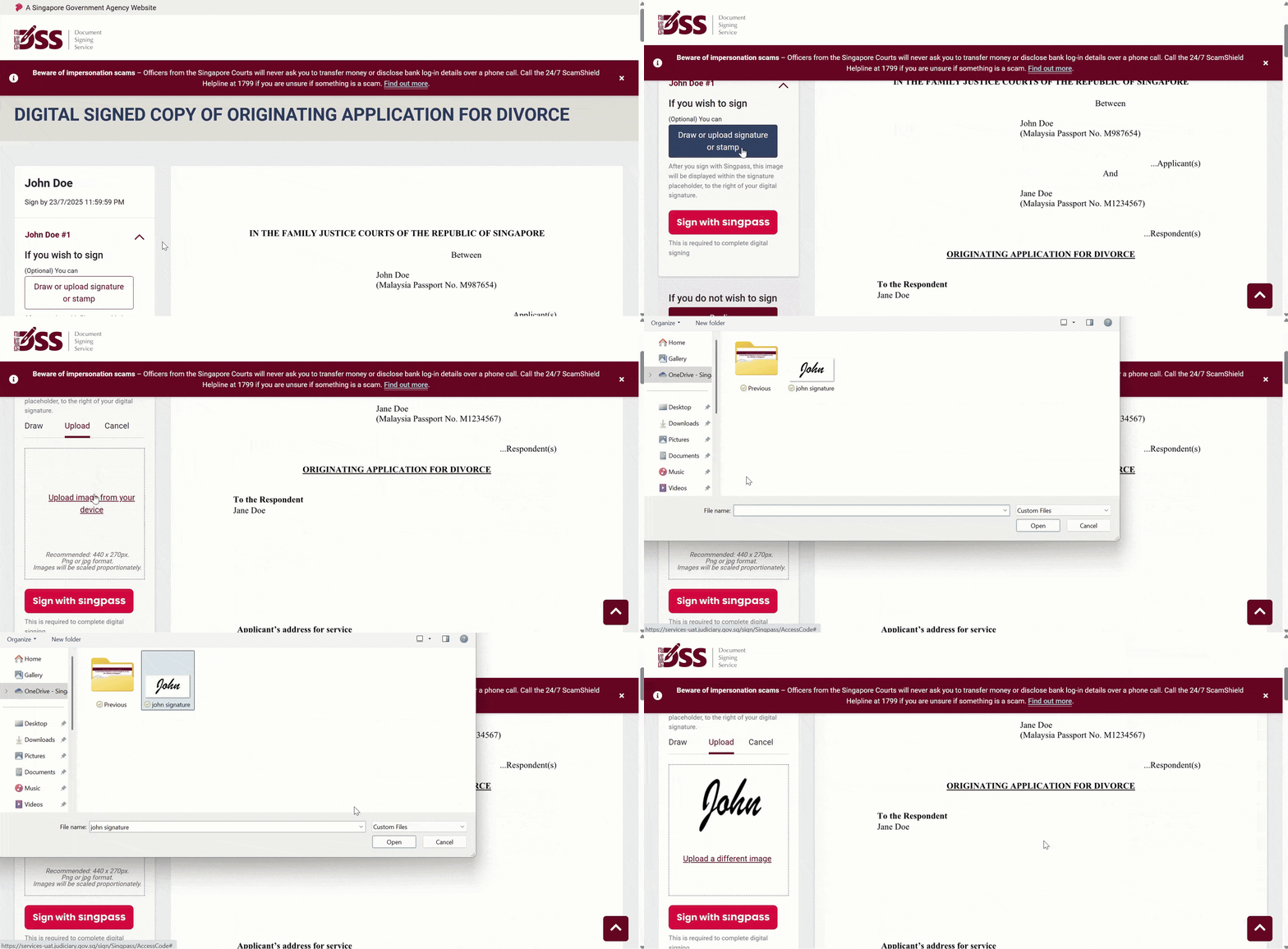
- Upload your signature or stamp (optional)
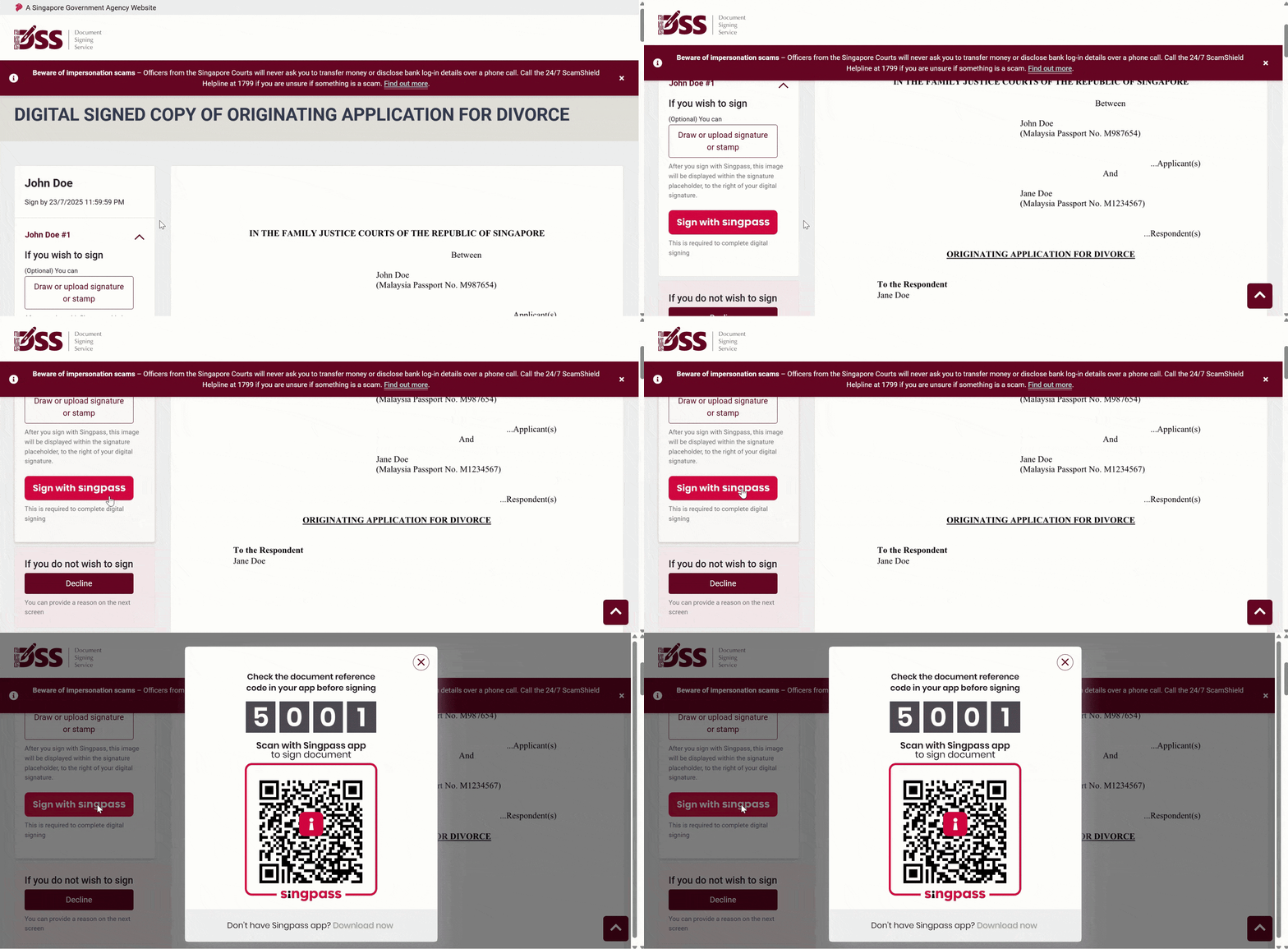
- Sign with Singpass (mandatory and required to complete your digital signing)
- Open the Singpass app on your mobile device
- Tap “Scan” and aim your device at the Singpass QR code
- Follow the on-screen instructions till you see confirmation that “You have successfully signed this document”.
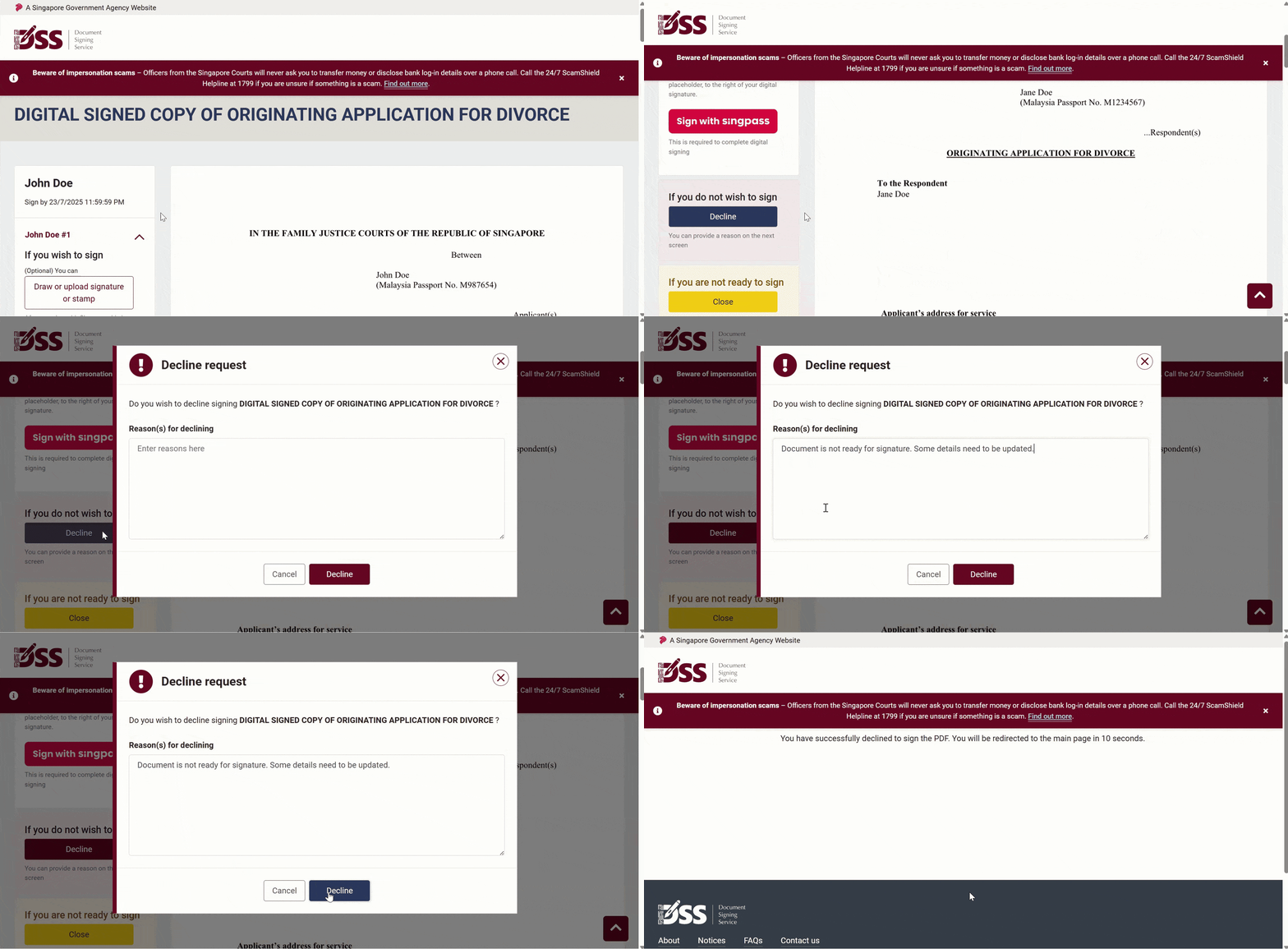
If you do not wish to sign
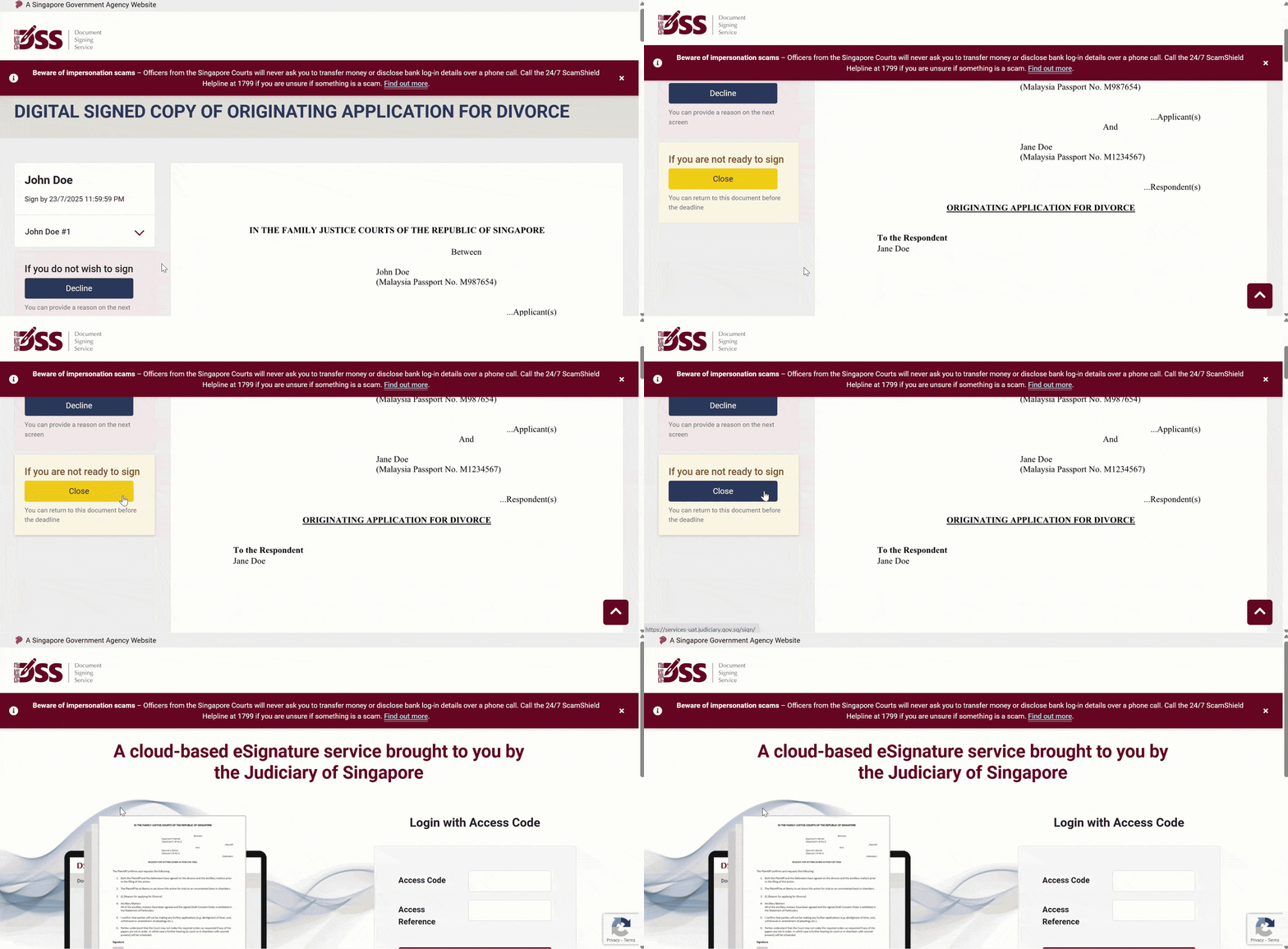
If you are not ready to sign
FAQs are available at elitigation.sg > FAQ >Document Signing Service (DSS) Guide for Signers