
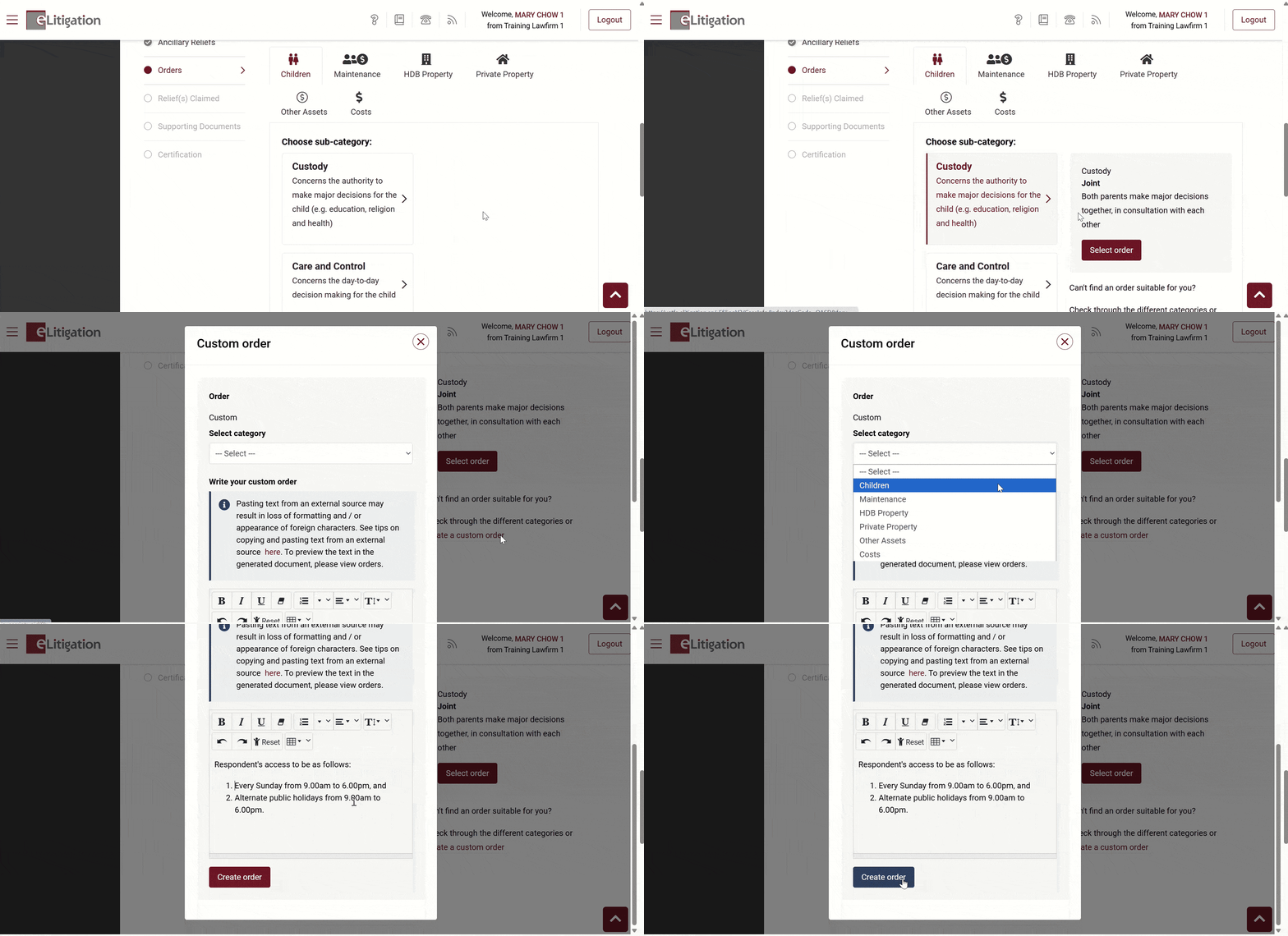
You can create custom orders if you can’t find a suitable pre-populated order to use.
Quick pointers:
- Ensure that the correct category is selected when drafting a custom order.
- Multiple links are available for creating a custom order, all of which open the same order creation pop-up. Selecting the link under a specific tab is not necessary.
If you prefer to create orders using a pre-populated order, you can refer to the “Create orders using pre-populated orders“ post.
Related posts: