eLit Tips & Guides Logo
  • Home
  • How-To
  • Offline signing

Offline signing

Published on November 3, 2025
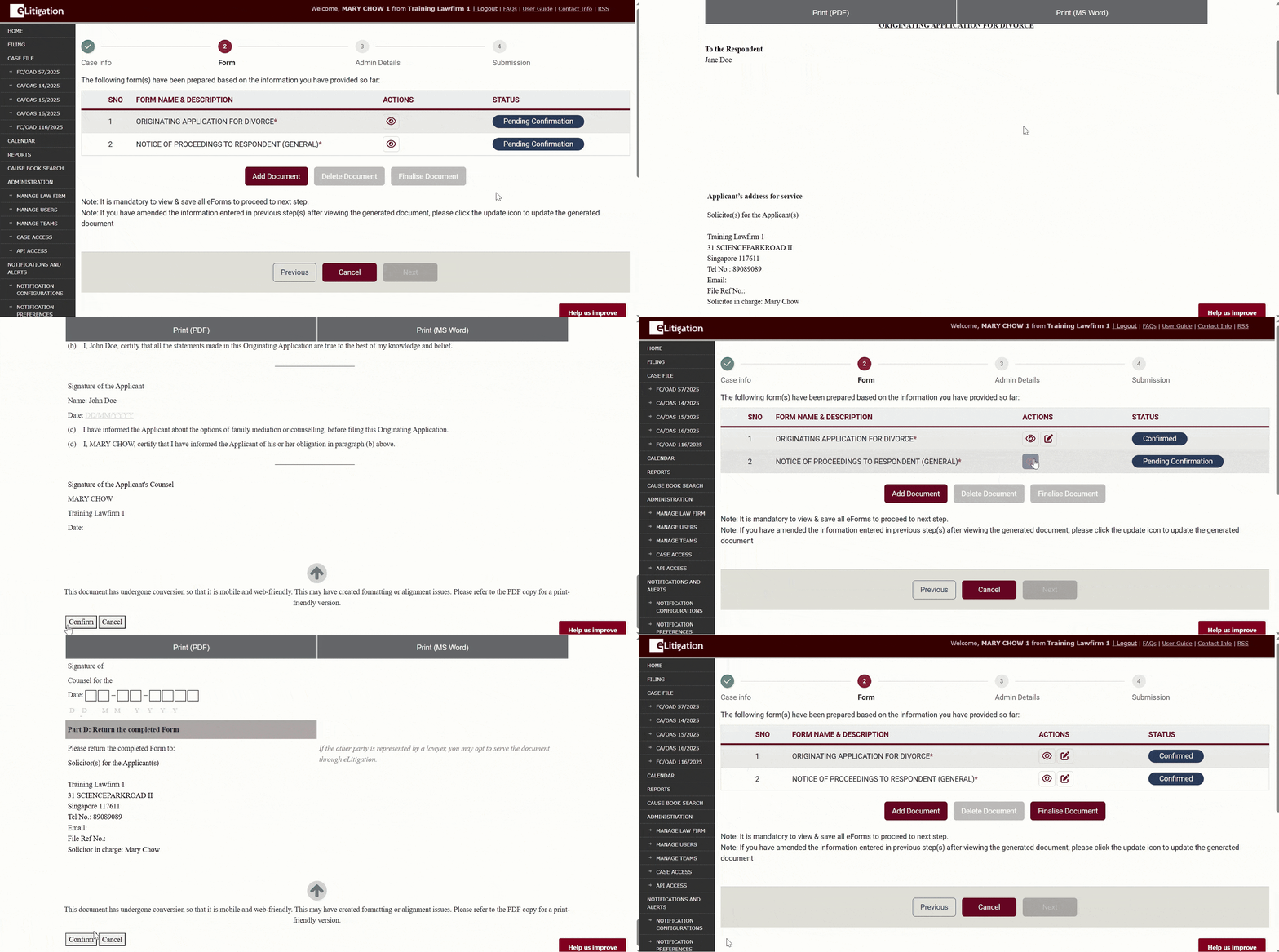
  • Generate and confirm all eForms.
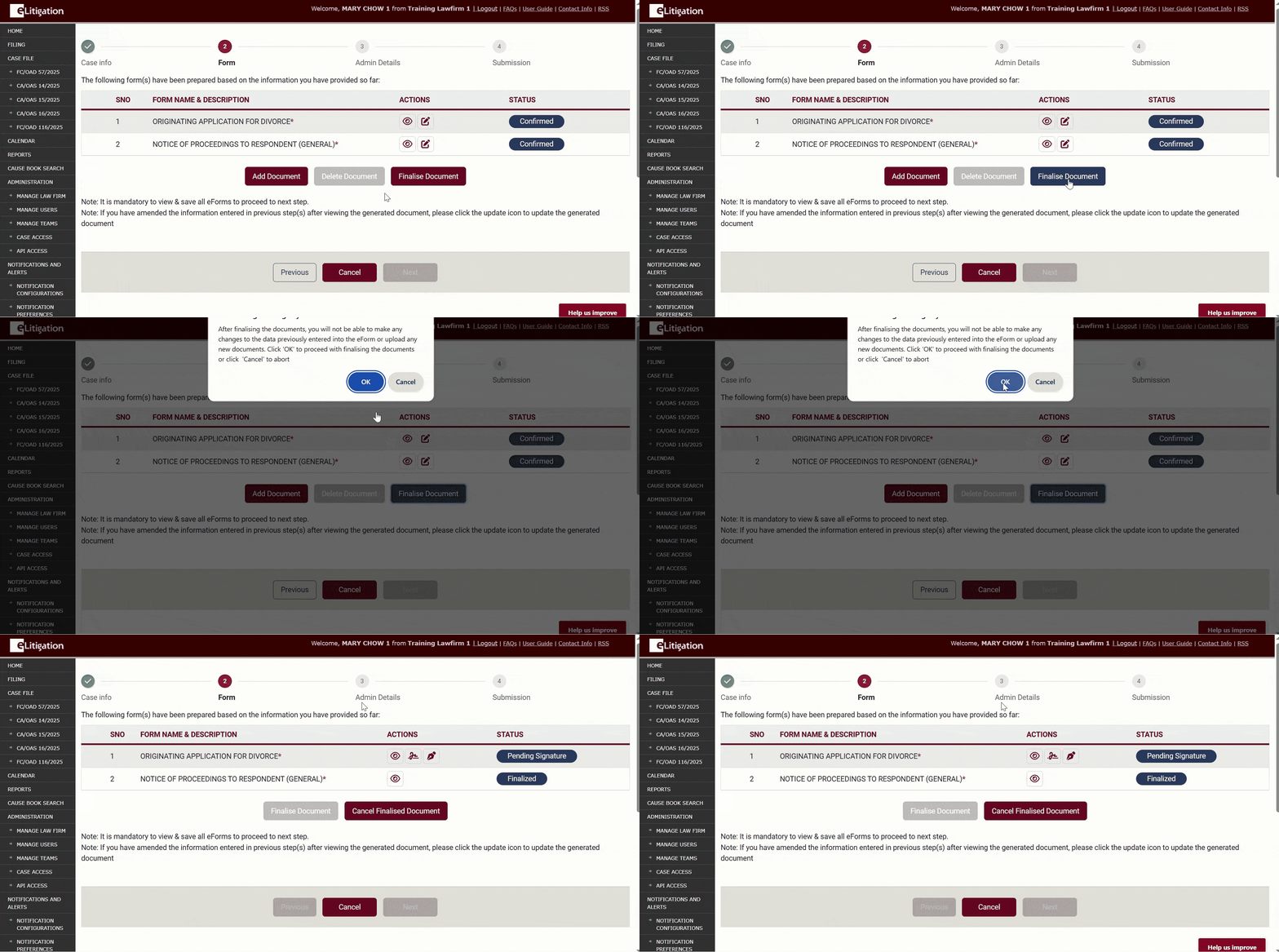
  • Finalise all documents.
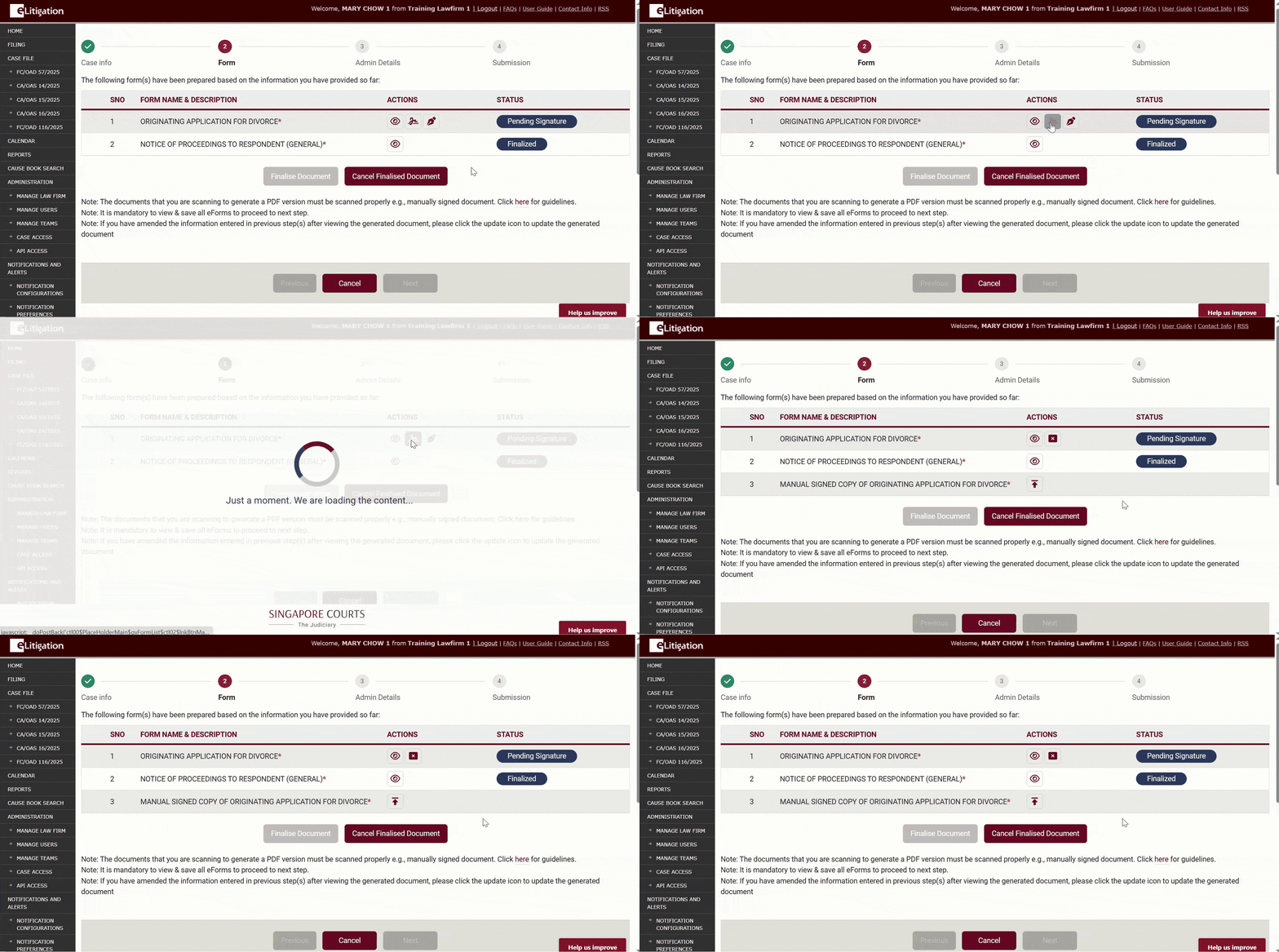
  • Click on the offline signing icon.
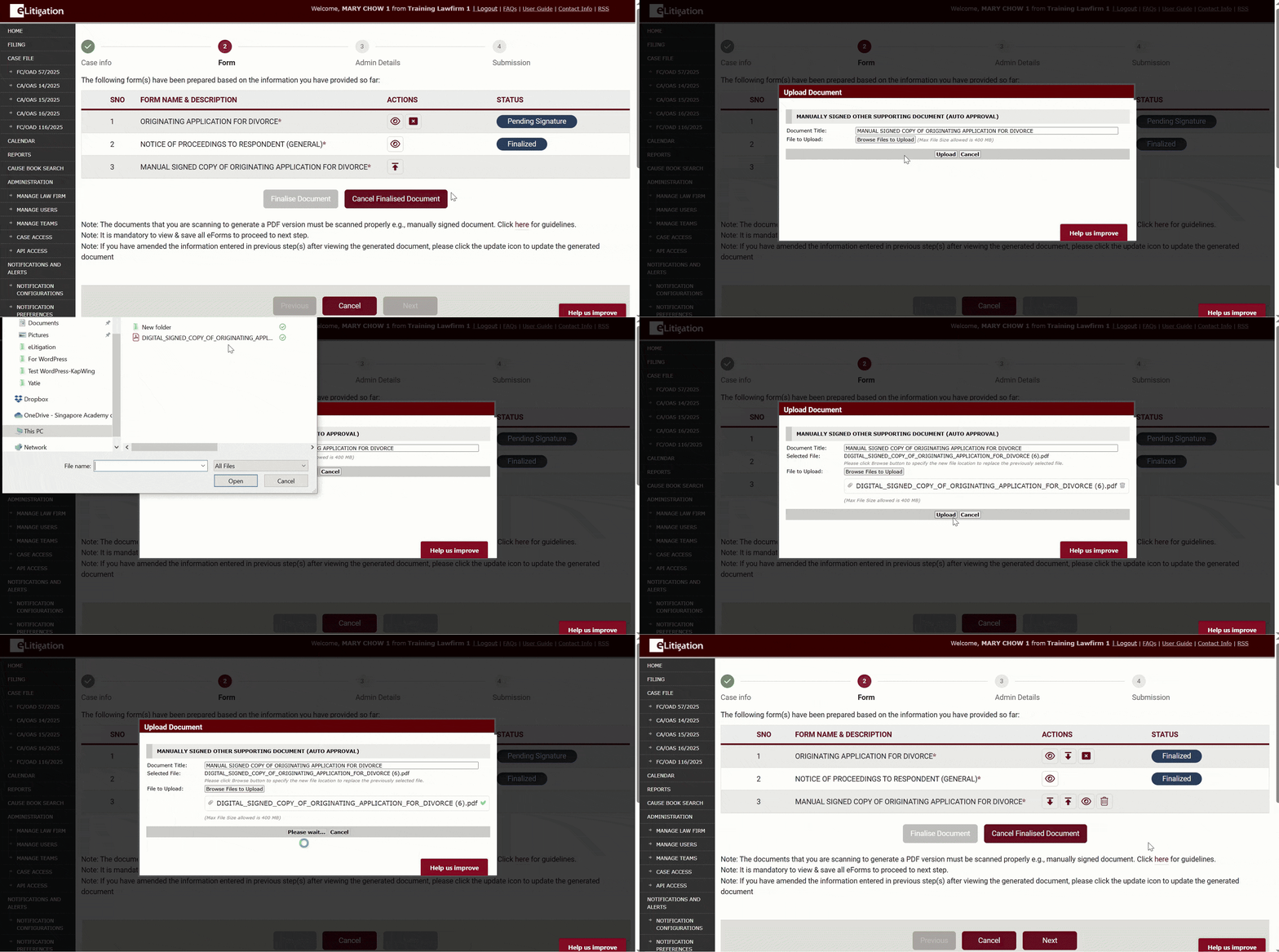
  • Upload the signed document.
  • #FamilyJusticeCourts

Previous

Ways to sign documents before submission

Next

Digital signing: Sign with Singpass
  • Offline signing
  • Digital signing: Sign with Singpass
  • Digital signing: Prepare document
  • Sequence of the custom orders will change every time an order is edited
  • Special characters: what’s allowed and what to avoid
  • Search for document titles
eLit Tips & Guides Logo

Made with ❤️ by RedOxbird

Searching in

Enter search term to find items
to navigate, to select, and to close